Step 1: Create an Account
Open a free account with Finst in just 2 minutes and start selling your UXLINK for euros right away. We offer speed, security, and some of the lowest fees in Europe for selling UXLINK. Simply create an account, verify your ID (required by law), and sell your UXLINK in just a few clicks. Your personal information remains safe and confidential.
Already have an account? Log in to the Finst platform via the app or desktop.
Step 2: (Optional) Transfer Your UXLINK to Finst
At Finst, you can deposit various cryptocurrencies. Check
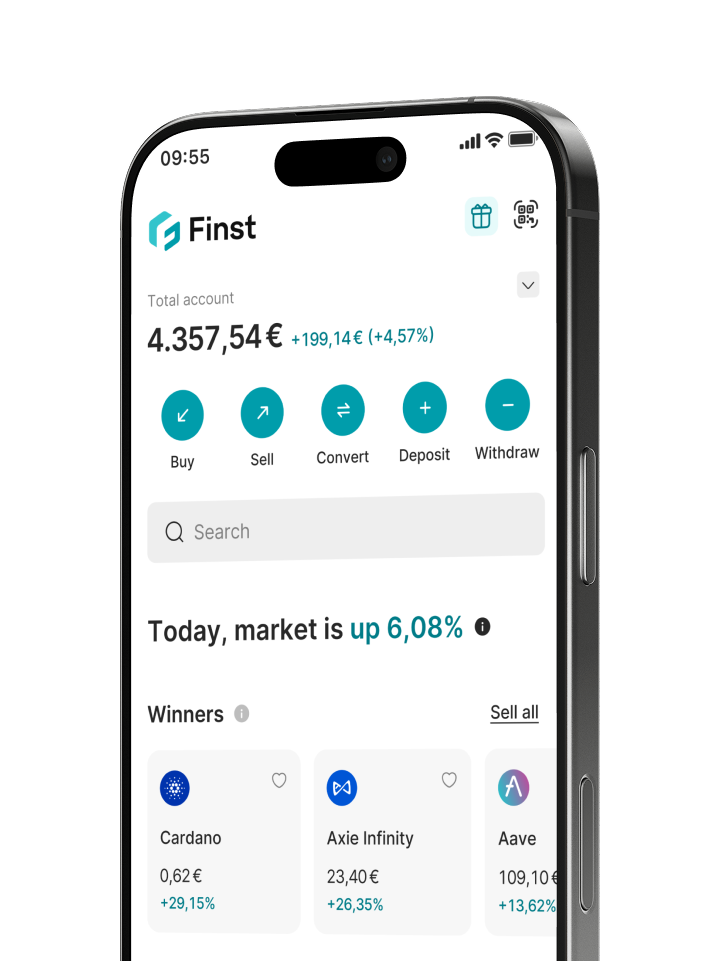
here to see if you can send your UXLINK to Finst. Click on ‘Deposit’ and select UXLINK or another cryptocurrency. Your Finst wallet address will now appear on the screen (note: this is different for each cryptocurrency). This is the address where you need to send your UXLINK. Enter the address in your external wallet.
Any mistake (like a wrong letter or number) can result in sending your UXLINK to the wrong address, potentially causing loss. Avoid this by copying the address using the copy icon.
Make sure you've entered the Finst wallet address correctly and that you're using the correct network to send your crypto. Then confirm the transaction and send your UXLINK. Keep in mind that sending crypto from an external wallet usually involves transaction or network fees. These fees are separate from Finst.
Step 3: Sell Your UXLINK for Euros
Click ‘Sell’, select UXLINK, enter the amount you want to sell, and confirm your order. It's that simple! Your UXLINK will be converted into euros.
Step 4: Receive Euros in Your Bank Account
Click ‘Withdraw’, verify your bank account, enter the amount you want to withdraw, and confirm your withdrawal. Withdrawing euros from Finst is free of charge. In many cases, you’ll receive your euros in your bank account within a few hours. Depending on your bank, it may take up to 2 business days.